

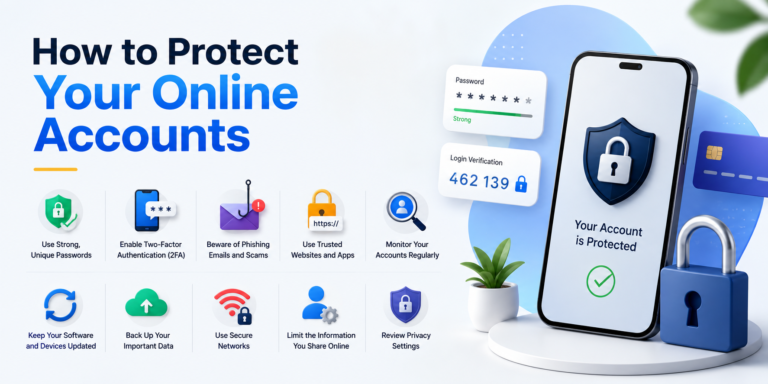
Almost everything we do online is connected to an account. From email and social media to online shopping, banking, cloud storage, and work platforms, these accounts can contain information we would not want strangers to access.
That is why learning how to protect your online accounts is an important part of staying safe online. You do not need to be a cybersecurity expert to improve your account security. A few simple habits can make it much harder for someone to gain unauthorized access.
Why Online Account Security Matters
A compromised account can cause more than inconvenience. If someone gets access to your email, for example, they may be able to reset passwords for other services connected to that email address.
A hacked social media account could also be used to send scams to your contacts, while a compromised shopping account could expose personal and payment information.
The good news is that most people can significantly improve their security by following some basic practices.
1. Use a Different Password for Every Important Account
One of the biggest mistakes people make is using the same password everywhere.
If one website suffers a data breach and your password is exposed, attackers may try that same password on your email, social media, shopping, and other accounts.
Use a unique password for every important account.
A password manager can make this easier because you do not have to remember dozens of different passwords yourself.
2. Create Long, Strong Passwords
A strong password should be difficult to guess.
Instead of using a short word or an easily available personal detail, use a long password or passphrase that contains a mixture of words, numbers, and other characters where appropriate.
Avoid passwords based on:
- Your name
- Birthday
- Phone number
- Family names
- Common words
- Simple number combinations
- The same password used on another website
The longer and more unique your password is, the better.
3. Turn On Two-Factor Authentication
Two-factor authentication is one of the simplest ways to add another layer of protection to an online account. For additional guidance on securing accounts and using multi-factor authentication, users can also refer to the Cybersecurity and Infrastructure Security Agency (CISA)
Two-factor authentication, often called 2FA, adds another security layer to your account.
With 2FA enabled, knowing your password alone is usually not enough to sign in. Depending on the service, you may need to provide an authentication code, approve a login, or use another verification method.
Enable 2FA on important accounts whenever it is available, especially your email, financial accounts, social media, and cloud storage.
4. Secure Your Email Account First
Your email account deserves special attention because it may be connected to many other services.
If someone gains access to your email, they could potentially use password-reset links to take over other accounts.
Use a strong, unique password for your primary email and enable two-factor authentication.
Also review the recovery email address and phone number associated with the account to make sure they are still correct.
5. Watch for Phishing Messages
Phishing attacks are also a common reason people lose access to their accounts, so learning how to know if your phone is hacked can help you recognize other warning signs of suspicious activity.
Phishing is one of the most common ways criminals attempt to steal account information.
A message may claim that your account has been locked, your payment failed, or you need to verify your identity. It may contain a link that leads to a fake login page.
Before clicking a link, check the sender and destination carefully.
When in doubt, open the company’s official website or app directly rather than using a link inside an unexpected message.
6. Review Login Activity Regularly
Many major online services allow you to see where your account is currently signed in.
Check this section periodically.
Look for:
- Devices you do not recognize
- Unfamiliar locations
- Unexpected login times
- Unknown browsers
- Sessions you no longer need
If you see something suspicious, sign out of the unfamiliar session and change your password.
7. Keep Your Recovery Information Updated
Account recovery options can become extremely important if you lose access to your account.
Make sure your recovery email address and phone number are current.
If an account offers backup codes for two-factor authentication, store them somewhere secure rather than leaving them in an easily accessible location.
8. Be Careful With Public Wi-Fi
Public Wi-Fi can be convenient, but you should still be careful when accessing sensitive accounts on unfamiliar networks.
Avoid entering financial or highly sensitive information on networks you do not trust.
Using your mobile connection or a reputable secured network can be a better option when dealing with particularly sensitive information.
9. Review Connected Apps and Services
Over time, you may give different apps and websites permission to access your accounts.
Some of these connections may no longer be necessary.
Open your account’s security or privacy settings and review connected applications. Remove access for services you no longer use or do not recognize.
This reduces the number of third-party services that can interact with your account.
10. Keep Your Devices Updated
Account security also depends on the security of the device you use to access your accounts.
Install operating-system and browser updates when they become available. Updates can include important security fixes.
You should also avoid installing software from questionable websites, especially programs that request unnecessary permissions.
What to Do If You Think Your Account Has Been Hacked
If you notice suspicious activity, act quickly.
First, change the account password using a trusted device. If you use the same password elsewhere, change those passwords too.
Next, enable two-factor authentication if it was not already active.
Review recent login activity and sign out of unfamiliar devices. Check whether the recovery email, phone number, or other security settings have been changed.
You should also look for unusual messages, posts, purchases, or password-reset requests associated with the account.
If a financial account is involved, contact the relevant financial institution through its official website or phone number.
How to Protect Your Online Accounts From Future Attacks
Good account security is not something you do once and forget.
Make it a routine to:
- Use unique passwords.
- Enable two-factor authentication.
- Keep your phone and computer updated.
- Review account login activity.
- Remove unused connected apps.
- Avoid suspicious links.
- Protect your primary email account.
- Keep recovery information current.
- Never share verification codes.
- Use a reputable password manager if helpful.
Final Thoughts
Learning how to protect your online accounts does not require complicated technical knowledge. Strong and unique passwords, two-factor authentication, careful handling of suspicious messages, regular security checks, and updated devices can provide a strong foundation.
The most important step is to start with your most valuable accounts, particularly your primary email, financial services, social media, and cloud storage. Once those accounts are protected, gradually apply the same security habits everywhere else.
A few minutes spent improving account security today can save you considerably more time and trouble later.
