

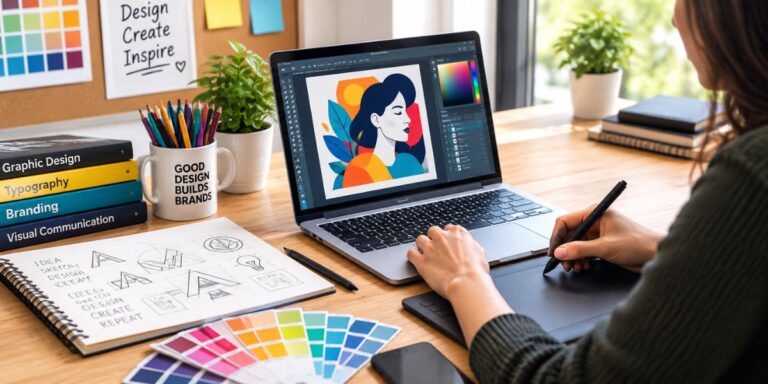
Becoming a graphic designer isn’t really about learning a piece of software — it’s about learning to communicate visually, then using tools like Adobe Creative Cloud or Figma to actually execute that. A formal design degree helps, no question, but plenty of working designers today are self-taught, and what actually gets them hired is a strong portfolio and demonstrated problem-solving, not a diploma.
Start With the Principles, Not the Software
It’s tempting to jump straight into Photoshop or Illustrator, but skipping the fundamentals just means you’ll be technically capable of making things that don’t actually work as design. A few concepts form the real foundation:
Visual hierarchy — guiding a viewer’s eye to the most important element first, then the next, then the next. Good hierarchy means someone understands a design in the right order without having to think about it.
Typography — this goes way beyond picking a nice-looking font. It’s about pairing fonts that work together, controlling tracking (spacing between letters) and leading (spacing between lines), and choosing scale that creates clear emphasis.
Color theory — understanding contrast, harmony, and the psychological weight different colors carry. Color isn’t decoration; it’s information and mood, whether you’re deliberate about it or not.
Layout and grids — alignment, balance, and the disciplined use of white space. A cluttered layout with no breathing room reads as chaotic even if every individual element is well-designed.
The Tools Worth Learning
Once the principles actually click, the software becomes a lot easier to pick up, because you already know what you’re trying to achieve.
- Adobe Illustrator — the standard for vector work, logos, and anything that needs to scale cleanly.
- Adobe InDesign — built for multipage and editorial layouts, like brochures, magazines, or anything with repeated structured pages.
- Adobe Photoshop — the go-to for raster image editing and photo manipulation.
- Figma, Affinity, or Canva — increasingly common for fast layout work, collaborative design, and even some motion work. Figma in particular has become close to essential for anyone doing UI/UX-adjacent design work.
A Realistic Step-by-Step Path
1. Learn the fundamentals before touching software seriously. Design is a communication skill first — the tools just execute that skill. Skipping this step is the most common reason self-taught designers plateau early.
2. Practice with fake client briefs. Sites like goodbrief.io, or even AI tools generating sample briefs, give you realistic constraints to design around instead of just making things with no direction. Designing to a brief is a different skill than designing for fun, and it’s the one that actually gets used professionally.
3. Back-engineer designs you admire. Pick work you genuinely respect and deconstruct it — figure out the grid it’s built on, why the hierarchy works, what typographic choices are doing the heavy lifting. This teaches you to see design decisions instead of just reacting to the finished result.
4. Build a focused portfolio. Four or five strong projects beats twenty mediocre ones. For each piece, be ready to explain the problem you were solving and why you made the choices you did — that story matters as much as the visuals themselves to anyone reviewing your work. A simple Squarespace site or similar builder is more than enough to present it well.
5. Develop a niche that’s harder to automate. As AI tools get better at generating quick visuals, the areas that stay valuable tend to be the ones requiring real judgment — bespoke logotype design, complex editorial grid systems, or strategic brand consulting where you’re solving a business problem, not just producing an image. Specializing here is becoming more of a career advantage than a limitation.
