

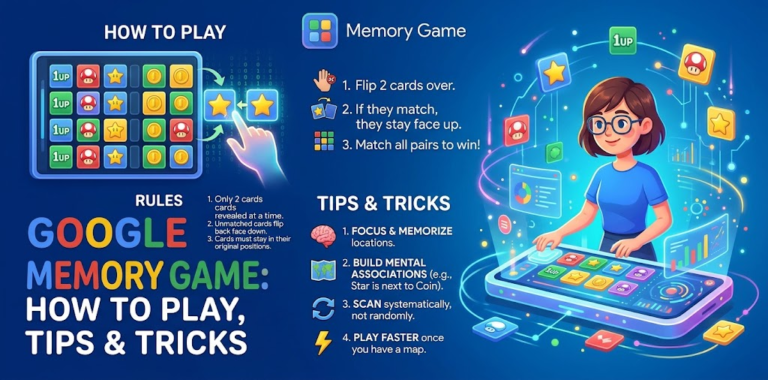
The Google Memory Game is a free brain game you can play in your browser with no download or sign-up. Whether you want a quick break or a way to sharpen your focus, it takes about a minute to learn. This guide covers how to find it, how it works, the different versions, mobile access, and ways to improve your score.
What Is the Google Memory Game?
The name is used loosely online. It is described as a free memory-matching game that works in a web browser on Mac, Linux, iOS and Android. Other guides describe a different version in which four animal characters make different sounds, and you have to recall the sequence.
So “Google Memory Game” usually means one of two things:
- Card-matching (pairs): flip tiles to reveal images and find matches.
- Sequence memory: watch or listen to a pattern, then repeat it in order.
Google also runs seasonal and Doodle games, so what you see can change from one visit to the next.
How to Play Google Memory Game
Getting started is simple, and it works the same on desktop and mobile:
- Open your browser on a phone, tablet or computer.
- Search for “Google Memory Game.”
- Click a result that opens a playable version, such as Google’s own game or an interactive Doodle page.
- Press Play and start.
If the first result isn’t playable, try the next one. Pick a reputable site, and don’t download anything just to play. The game should run directly in your browser.
Rules of the Game
Card-matching version
- All cards start face down.
- Click two cards per turn to flip them.
- If they match, they stay face up. If not, they flip back.
- The game ends when all the cards have been matched.
- The game tracks your moves, so fewer moves give a better score.
Sequence version
- Watch or listen to the pattern shown.
- Repeat it exactly, in the same order.
- Each correct round makes the pattern longer or harder.
- One wrong step usually ends the round.
Different Versions of the Game
| Version | How it works | Best for |
|---|---|---|
| Card-matching (pairs) | Flip tiles and find matching images | Beginners, kids, quick sessions |
| Sequence or sound memory | Repeat growing patterns of lights or sounds | Focus and short-term recall |
| Doodle or seasonal memory games | Themed games that appear around events | Casual fun |
| App-store memory games | Many levels, timers and themes | Longer play on mobile |
If you enjoy the Google version, memory apps like Lights, Concentration and similar pair-matching games work in much the same way.
Playing on Mobile
You don’t need an app. Open Chrome or Safari, search for the game, and tap Play. Tips for phones:
- Play in landscape mode for larger cards.
- Zoom out slightly if the grid is cut off.
- Use headphones for sound-based versions.
- Turn on Do Not Disturb so a notification doesn’t break your concentration.
Tips and Tricks to Improve Your Score
1. Start with the corners and edges. Having a fixed starting pattern makes it easier to remember positions.
2. Flip new cards early. In the first few turns, reveal as many different cards as possible. Every new image you learn helps later.
3. Use spatial memory. Think “top row, third from left” rather than just remembering the picture.
4. Create quick stories. Linking a card’s image to a position, such as “the apple is next to the corner,” makes recall faster.
5. Say it in your head. Silently naming the image and its location strengthens memory.
6. Don’t rush. In pair games, mistakes cost more than seconds. In sequence games, speed doesn’t matter, so slow down.
7. Group by chunks. In sequence games, break patterns into small groups of two or three, as you would with a phone number.
8. Play in short sessions. Five to ten focused minutes beats a tired hour. Regular practice builds familiarity with the layouts and patterns.
9. Reduce distractions. Close other tabs and silence your phone.
10. Review your mistakes. If you matched the wrong cards, work out why. Did you forget a position or rush?
Is There a Scoring Formula?
Some sites publish a formula based on attempts and mistakes, but Google doesn’t publicly document an official one. In general, fewer moves and fewer mistakes mean a better result. If you want to track progress, note your move count each round and try to beat your own average.
Benefits of Playing
Games like this are a light, enjoyable way to practise focus, concentration and short-term recall. They’re good for a short break, but they aren’t a medical treatment or a replacement for sleep, exercise and a healthy routine.
Frequently Asked Questions
Is the Google Memory Game free?
Yes. The browser versions are free and don’t require an account.
Can I play it on my phone?
Yes. Search for it in any mobile browser, or install a memory game from your app store if you want more levels.
Do I need an internet connection?
For the browser version, yes. Offline play isn’t generally available, unlike Chrome’s Dino game.
Is it suitable for kids?
Yes. The card-matching version is simple and family-friendly. Supervise children as you would with any website, and avoid sites that push downloads.
Why can’t I find the game?
Google’s search features and Doodle games change over time. Try searching “Google memory game online” or “memory game pairs” and choose a playable result.
How can I get better quickly?
Learn positions, not just images, play short sessions regularly, and slow down to avoid mistakes.
Final Thoughts
The Google Memory Game is a simple, free way to give your brain a quick workout. Learn the rules, try a few of the tips above, and track your own progress. You’ll likely notice improvement within a few sessions.
